Work / Live demos
Harbor Bistro
A demonstration upscale-casual coastal restaurant with online ordering. Harbor Bistro is a purpose-built demo brand; the menu is synthetic, the software, the data discipline, and the customization flow are real. Open the live demo and walk the menu on a phone or a desktop.
The problem domain
Restaurant ordering software is the canonical case where most of the bugs are in the data and most of the user pain is in the customization. Two pieces of chicken on a salad, dressing on the side, extra avocado for two dollars, no tomatoes (the customer is allergic) -- a UI that gets one of those wrong undoes a year of brand work in one bad delivery. Underneath, an integer rounding error in price calculation or an inconsistent dietary flag is the kind of quiet bug that nobody finds until a guest with an allergy finds it.
What we built
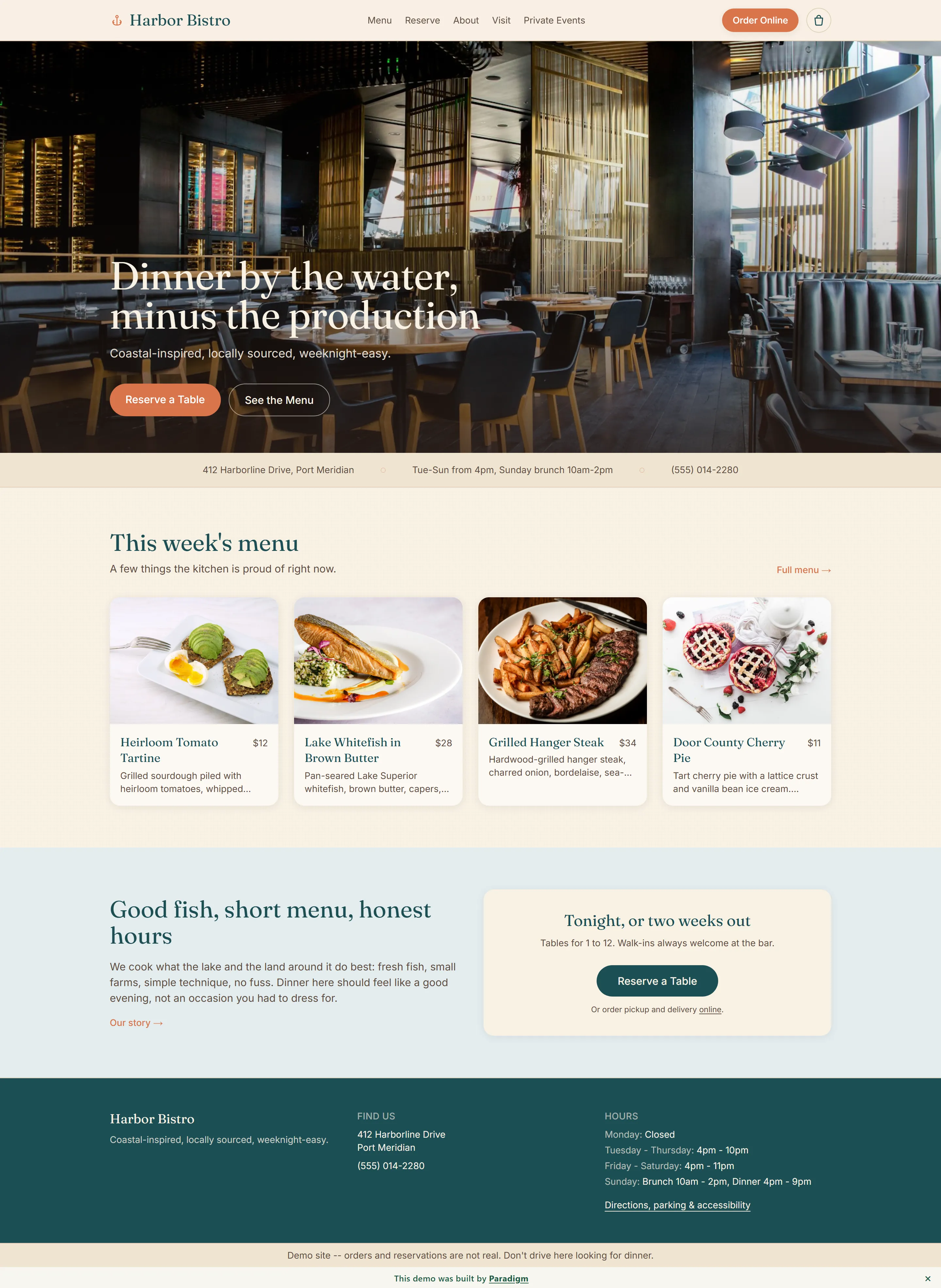
A restaurant marketing site and ordering surface for a fictional coastal kitchen. A serif-headlined home with a hero photograph, a featured menu strip, a hours-and-address band, and an honest "good fish, short menu" voice. A full menu page with sticky course tabs and four filter chips (Vegetarian, Vegan, Gluten-Free, Nut-Free) tuned for ruling out what a guest can't eat rather than positive ingredient hunting. Sixty item detail pages statically generated per slug at build time (unknown slugs 404 deliberately), each with a large photo, course label, price, dietary badges, and an item-level customization renderer.
Stack: Next.js 15 with TypeScript and Tailwind v3, no shadcn (the demo runs hand-rolled primitives to keep the dependency surface small), better-sqlite3 for the data layer, a single standalone Docker container behind Cloudflare. The Harbor Bistro brand is intentionally distinct from Paradigm: deep teal, warm cream, warm coral accent, serif headlines.
Customization and cart discipline
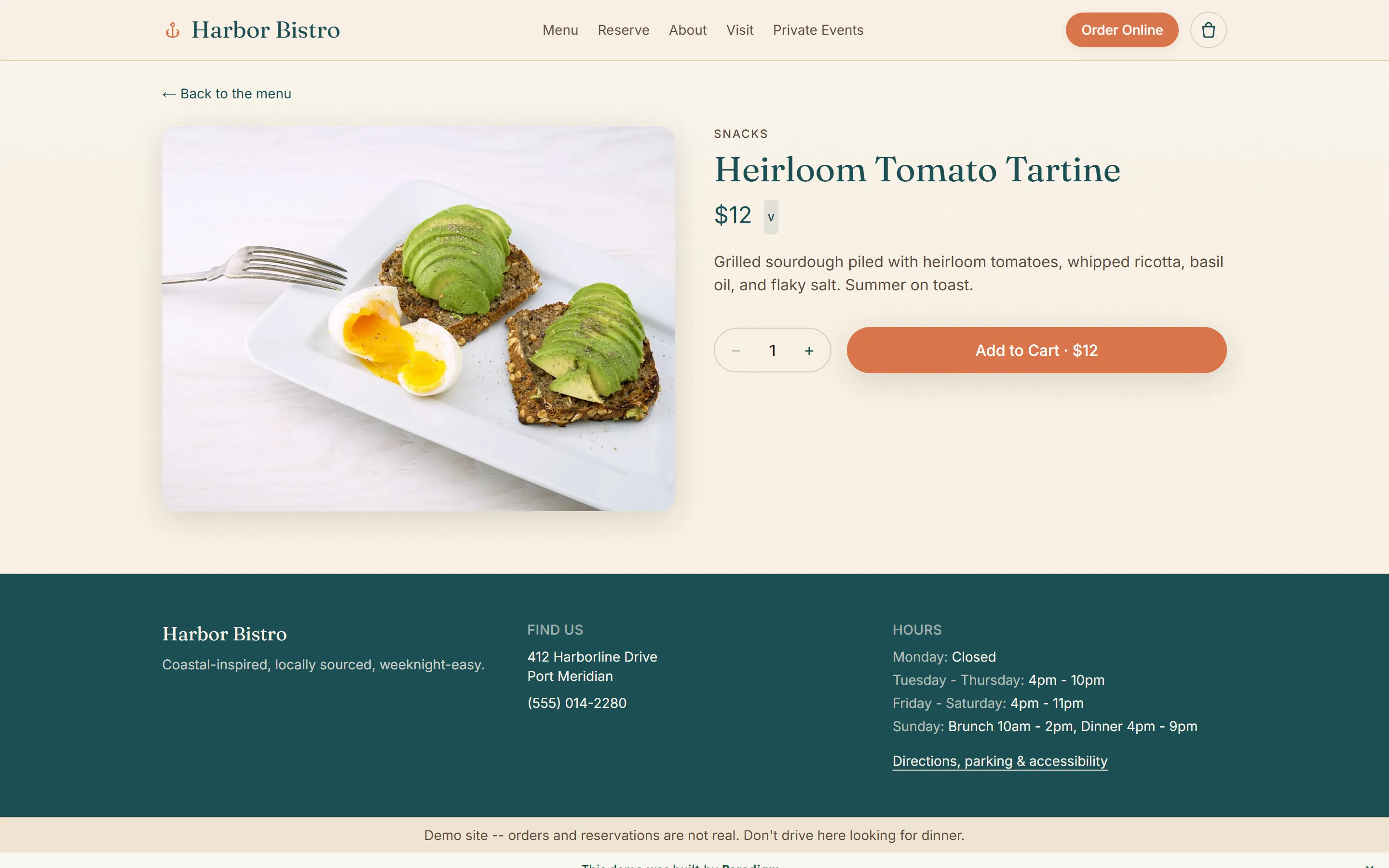
The customization renderer reads each item's option groups (radio for single-choice with the first option preselected and a required flag; checkboxes for multi-select) and prices their upcharges live into the unit and total as the customer changes them. A quantity stepper bounds at 1 and 12; the Add to Cart button mirrors the live total.
The cart itself is React Context plus useReducer, picked deliberately over a state-management dependency for an API surface this small (add, remove, set quantity, clear, open and close drawer) consumed by three components. Lines carry a canonical key (slug plus sorted selections) so identical configurations merge instead of duplicating; a Heirloom Tartine with no tomatoes and a Heirloom Tartine with no tomatoes ordered five minutes apart become a single line with quantity two. Persistence is sessionStorage, hydrated after mount so the server and the first client render agree on an empty cart and there is no hydration mismatch.
A thirteen-check Playwright pass at the 390-pixel mobile viewport covered upcharge pricing, quantity math, drawer contents, badge counts, persistence across client navigation and a full reload, remove and empty states, and a disabled checkout button when the cart is empty. That was a scripted run we did, not a suite that lives in the repo's CI.
Data discipline at the boundary
The seeded SQLite database is created at image build time and ships in the container. Before the image is allowed to publish, a db:verify integrity script runs and refuses to let a bad seed pass: dietary flag consistency, customization schema shape, order identifier shape (short uppercase Harbor Bistro codes drawn from a non-ambiguous alphabet so demo visitors cannot enumerate each other's fake orders), referential integrity across menu items, photos, and option groups. A bad seed fails the build, not production. That is the half of restaurant software that does not show up in screenshots and that quietly carries the rest.
The production path
Online ordering already checks out through Stripe-hosted Checkout in test mode. A real deployment swaps the test keys for live ones, better-sqlite3 for the restaurant's POS-connected database, hand-curated stock photography for the kitchen's own, and demo session writes for a real order stream behind authentication. The customization renderer, the cart discipline, the db:verify gate, and the mobile-first layout do not change.
Want this shape of site for a real kitchen? Tell us what you're trying to do.